Nobody Lost a Day. That Was the Point.
A real case study in what “modernized” actually means: a 20-year-old operations system replaced in five weeks, across three companies, without one person re-entering a record or losing a day of work.
What changed, on a Monday
On Monday, October 5, 2026, three related companies I support switched, all at once, from an operations system built in 2009 to one I had rebuilt from the ground up. The old system ran jobs, bids, estimates, timesheets, purchase orders, receiving, invoicing, and job costing — tied to QuickBooks — for all three. It was a Classic ASP application, the kind of thing most IT leaders inherit rather than choose: no vendor support, no documentation beyond what lived in my own head, and a growing list of reasons it needed to go.
I’ve written before about the decision behind a project like this — rebuild the frontend, leave the proven backend and its data alone, and migrate page by page rather than betting the business on a single cutover weekend. This is the part that comes after the decision: what actually happened when the new system went live, and what it took to get there.
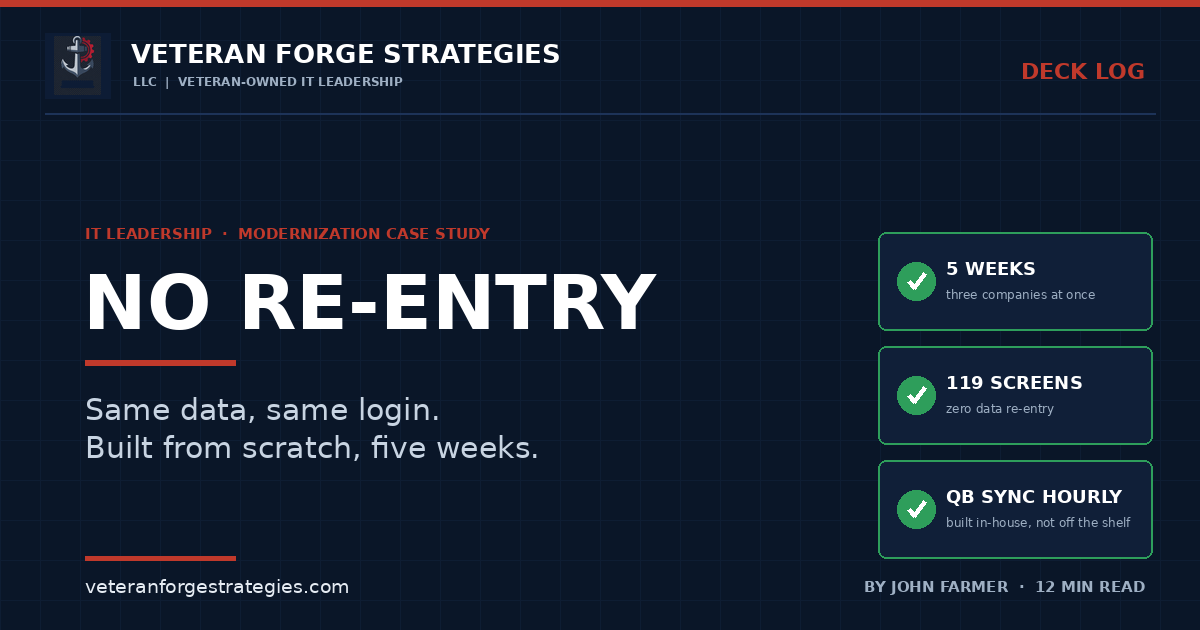
The numbers, stripped of anything that identifies a client or a dollar figure: about five weeks of build time, roughly 1,100 commits, 119 screens, and somewhere around 75,000 lines of code. All three companies moved on the same day. Nobody re-entered a record, and nobody changed how they logged in — same user name, same password, same muscle memory, new system underneath it.
The old system never actually stopped, until it did
The build started in early September. By the two-week mark, the screens people touch constantly — jobs, bids, the four estimate-sheet types, timesheets, requisitions, purchase orders, invoices — were already ported, 42 of the eventual 46 core pages. From there it was usage-ranked triage: pull the activity logs, find out what people actually open every day versus what exists but rarely gets touched, and rebuild in that order. The old and new systems ran side by side against the same live databases for weeks before the switch, which is the only way I know to find the edge cases a demo environment never surfaces — the oddly formatted purchase order from three years ago, the estimate sheet nobody has opened since a job closed, the permission a particular role needed that nothing in the spec mentioned.
By the middle of September, all three companies’ live databases were connected and the new system was carrying real work alongside the old one. The next two weeks went to the parts that don’t show up in a demo: an activity log, a full permissions audit, browser testing on every single form, and — because job costing touches the most sensitive numbers in the building — getting those figures to match the old system’s output exactly before anyone was asked to trust them.
What changed for the people using it
A rebuild like this lives or dies on whether the people using it every day actually notice an improvement, not just a different coat of paint. A few of the changes that mattered most weren’t architectural at all. The new system works in any modern browser — Edge, Chrome, Safari — with no compatibility mode and no “this only works in Internet Explorer” caveat, which on its own opened the door to people working from a Mac for the first time. Every list now searches as you type, and clicking anywhere on a row opens it, instead of hunting for a specific link buried in a dense table. The job center shows more at a glance, including dollar totals for work orders and estimates, so a quick look answers a question that used to mean opening three separate screens.
Printing is cleaner — every printout opens in its own tab, and several estimate sheets can print at once instead of one at a time. Receiving now checks against QuickBooks first, so a mismatch gets caught before it becomes an accounting error instead of after. Timesheet approvals are clearer about who approved each week and which days are still waiting. And the automated emails — the daily job activity summary, requisition notices (now routed to purchasing for approval), file-upload confirmations — carry each company’s own logo instead of a generic template, a small detail that matters more than it sounds like when three different brands are sharing one backend.
The job-cost engine: from half an hour to under a minute
Job costing is the one piece of an operations system where “close enough” isn’t a real option, because it feeds directly into what a company thinks it’s making on a job. The old batch process took anywhere from ten to thirty minutes to run and executed a handful of times a day. I rewrote the engine to run every hour, automatically, and brought the runtime down to seconds — then checked the new numbers against the old ones to the cent before I trusted either of us.
Two details mattered more than the speed. First, I recalculated every archived job so history followed the same rules as anything calculated going forward — which also surfaced and fixed a handful of old calculation errors that had been sitting quietly in historical numbers for years. Second, rates now lock in at the moment an estimate goes into production, so a rate change next quarter doesn’t silently rewrite what a job from last spring is recorded as having cost. Neither of those is the kind of fix anyone asks for by name, but both pay off the day an audit or a disputed number comes up.
Why I built my own bridge to QuickBooks
The part of this project most relevant to any small business running a separate operational system next to its accounting package is the QuickBooks integration, because that’s where most of these projects either pay off or quietly fail.
Back in July, ahead of the main rebuild, I replaced a third-party QuickBooks sync tool with a bridge I built in-house. That decision paid off directly during the October switchover, because I wasn’t depending on a vendor’s release schedule or support queue to keep accounting data moving while I rebuilt everything around it. By early October, as part of the final push, I upgraded that bridge to sync every hour — changes only, with a full refresh once a week — covering invoices, payments, bills, checks, deposits, journal entries, and customer records.
A sync that runs automatically is only trustworthy if you can tell, at a glance, whether it actually worked. I built a run log into the database for every sync cycle and an error page that explains a failure in plain language instead of a stack trace, so a problem gets caught and understood the same day instead of surfacing three weeks later as a reconciliation mismatch nobody can explain. I also built, and have ready to turn on, an invoice-transfer feature: once an invoice is approved on the operations side, it moves into QuickBooks without anyone retyping it. It’s held back for now, deliberately, until the accounting side is trained on the new workflow — which is its own lesson. The capability being built is not the same thing as the capability being switched on; a go-live date should be set by training readiness, not by what the code can already do.
The broader point for anyone evaluating a similar project: an off-the-shelf connector between your line-of-business system and QuickBooks is usually the right starting point, and I’d tell a client to start there too. The case for building your own shows up when the off-the-shelf version is the thing slowing you down — rigid sync timing, limited error visibility, or dependence on a vendor’s roadmap for a feature you need now. That’s a build-versus-buy decision worth making deliberately, not one you back into because a default got frustrating.
One reporting database, three companies, reconciled every night
Three companies sharing common ownership almost always need to see their numbers both separately and together, and that’s a harder problem than it sounds. I built a reporting database that combines all three nightly, with a specific rule: intercompany sales are left out, and shared history from before the companies split is counted once rather than three times. That database is now the basis for revenue, margin, and backlog reporting across the group — numbers that used to require someone manually reconciling three sets of books to answer a question that should take one query.
Taking automation off a browser window left open on a server
One of the quieter but more consequential changes had nothing to do with any screen a user ever sees. The old system’s automation — activity emails, job-cost runs, file-upload processing, backups — ran out of a browser window left open on a server, which is a more common pattern in small-business IT than most people would guess, and a fragile one: if that session closes, crashes, or the server reboots at the wrong moment, nothing tells you it stopped running.
I moved every one of those scheduled jobs onto a dedicated management server with real monitoring behind it: a morning health email covering backups, overnight job status, QuickBooks sync, and disk space; an hourly watch specifically on the QuickBooks sync; and a weekly database integrity check — the first time those databases had ever actually been checked for integrity in their history. I also added an activity log recording who changed what, verified backups before every change I made during the build, and set up remote management of all the servers from one place, plus a development copy that refreshes from live data on demand so I’m never testing against stale information.
The parts nobody sees, which is the point
A few changes exist entirely behind the scenes and will never show up as a feature anyone notices, which is exactly why they matter. The old system had passwords sitting directly in its code; the new one keeps connection strings and mail settings in configuration, out of anything that gets committed or shared. Permissions are now enforced on the server, not just hidden by what a menu shows or hides on screen — a meaningful difference, since a hidden-but-not-blocked action isn’t actually a control. I also ran a full audit of every delete path in the application, because “can this role delete this record” is a question worth answering on purpose rather than discovering by accident.
And underneath all of it: one code base now runs all three companies. Differences between them are settings, not three separate copies of the same application quietly drifting apart every time someone fixes a bug in one and forgets the other two.
None of this is finished in the sense that a project is ever really finished. Still ahead: uploading files straight into jobs, bids, and estimates again, with every file — including emails — opening right in the browser; per-department billing rates and markups, built and ready but held back to keep the launch itself simple; and turning on invoice transfer once the accounting side is trained. “Live” is a milestone, not a finish line.
Where this usually goes wrong
- Big-bang cutover. Picking one night to flip everyone over at once turns every undiscovered edge case into a live incident instead of something found and fixed during weeks of side-by-side running.
- Rebuilding the backend too, “while you’re in there.” Touching proven data and proven logic at the same time you’re also rebuilding the interface multiplies the risk for no proportional benefit.
- Trusting a sync without a way to see it fail. An integration that goes quiet for a week before anyone notices is worse than one that was never built — it creates false confidence in numbers nobody actually checked.
- Turning on every feature the day it’s technically ready. Invoice transfer worked before launch day; it stayed off until the people using it were trained, because readiness is a people question, not a code question.
- Treating automation as “set it and forget it.” A scheduled job with no monitoring behind it isn’t automation — it’s a single point of failure that happens to run on a timer.
What “done” actually proves
None of this was dramatic while it was happening, and that’s deliberate — I’ve written elsewhere about why invisible is the highest compliment a migration can get. The same discipline applies whether you’re moving a datacenter or replacing the application three companies run their day on: sequence the work by actual usage, run old and new side by side long enough to find what a demo can’t show you, and keep access enforced at the server, not just hidden on the screen.
For a federal buyer or a prime evaluating past performance, a project like this is the kind of evidence that matters more than a capability statement’s language: a system three companies depend on every day, replaced without a single lost day of work, with the accounting side kept in sync automatically rather than by hand. That’s not a claim. It’s a date on a calendar and a count of screens.
Veteran Forge Strategies is an SBA-Certified Service-Disabled Veteran-Owned Small Business providing IT infrastructure, operations, and cybersecurity support to small businesses and federal clients from Northern Virginia. If your operations system and your accounting package don’t talk to each other — or only talk to each other by someone retyping numbers — that is the engagement — get in touch. You can also read about how a fractional IT engagement works, the path from SAM.gov to a first subcontract, or browse the rest of the Deck Log.