The Phone Call Is the Worst Monitor You Own
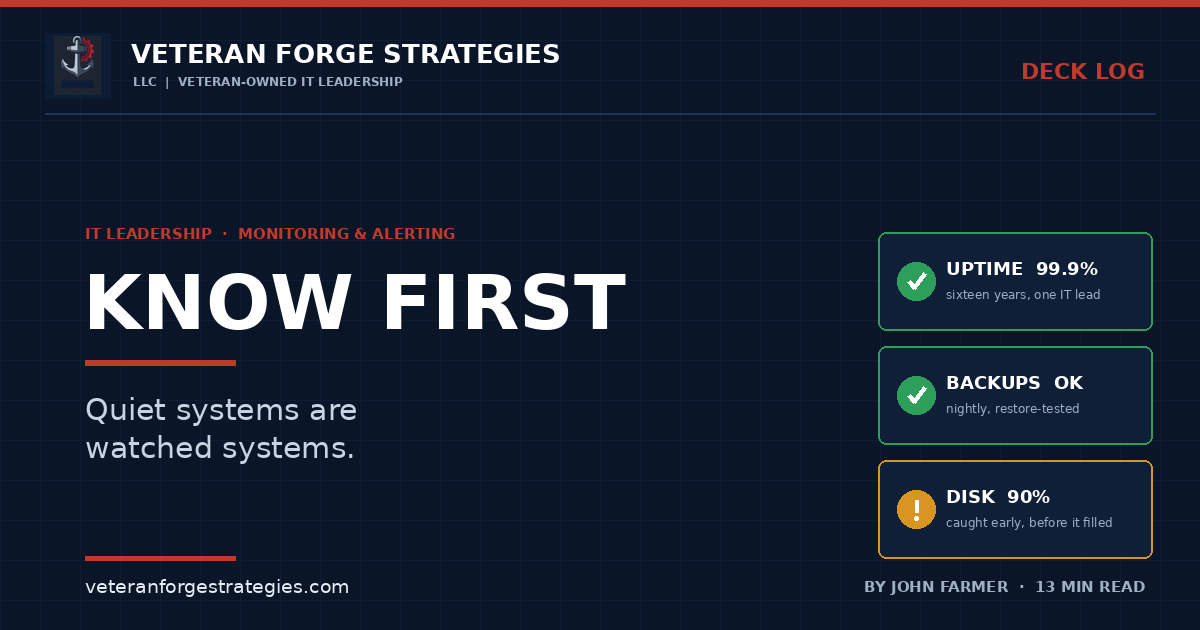
Sixteen years of 99.9% uptime as a one-person IT department, and the monitoring discipline that made most of it look like luck.
The worst monitoring system I have ever used was a telephone
Every IT professional who has carried a pager, a cell phone, or an on-call rotation knows the specific sound of failure. It is not an alarm. It is a human voice saying “hey, is something wrong with…”
By the time that call arrives, the math has already gone against you. The outage started minutes or hours ago. Work has stopped for some number of people. Somebody has already told somebody else. And you are now troubleshooting in front of an audience, with no baseline, no history, and no idea whether this started at 6:40 this morning or last Thursday.
I have been the sole IT lead at Capitol Exhibit Services since 2010. There is no tier-one queue to absorb the first report and no night shift to catch what I miss. For sixteen years I have delivered roughly 99.9% network uptime across a full generation of infrastructure modernization, and I want to be honest about where that number actually comes from.
It is not heroics. It is not luck, though it has been called that. It is almost entirely the result of finding out before anyone else did.
That is the whole thesis of monitoring, and it is narrower than most vendors want it to be. The goal is not to react faster. Reacting faster is a consolation prize. The goal is to know first — early enough that the fix happens inside a maintenance window instead of inside an incident.
Problems whisper before they scream
Infrastructure almost never fails all at once. Hard, instantaneous, no-warning failure happens — a power event, a failed drive with no redundancy, a fiber cut — but it is the exception. The far more common pattern is a slow degradation that was observable for days or weeks before it became an outage.
A short list of things that whisper:
- A disk filling. It went from 70% to 82% to 90% over five weeks. Every one of those readings was a warning. The outage happens at 100%, on a Friday, when a log file finally has nowhere to go.
- A backup job that quietly failed. Not errored loudly — just did not run, or ran and wrote nothing. The failure is silent for exactly as long as nobody needs a restore.
- A service that restarted three times this morning. It recovered each time. That is not resilience; that is a countdown.
- A certificate with 21 days left. Nobody has ever been paged for a certificate expiring in three weeks. Plenty of people have been paged for one that expired at midnight.
- Memory that no longer returns to baseline. A leak looks like nothing until it looks like an unresponsive application server.
- A UPS reporting a degraded battery. Irrelevant on every day except the one day it matters.
Monitoring is simply the practice of hearing the whisper. Everything else in this article is mechanics.
The five layers — and why most shops only watch one
When small organizations say “we have monitoring,” they usually mean one thing: something pings the server and tells them if it stops answering. That is the thinnest possible layer, and it is the one that produces the most false confidence.
A complete picture has five layers, and each one catches failures the layer below it cannot see.
1. Hardware and environment
Drive health and RAID status, power and UPS state, chassis and ambient temperature, fan and PSU status, switch port errors. This is the layer that gives you the longest possible lead time — a predictive drive failure is often days of notice. It is also the layer most commonly skipped, because it requires configuring the vendor tooling (iDRAC, iLO, the array’s own alerting) rather than installing an agent.
2. Operating system and resources
CPU, memory, disk space, disk latency, swap, and the event or system logs. Disk space belongs at the top of this list. In two decades I have seen more outages caused by a full volume than by any hardware defect.
3. Services and dependencies
Is the database engine running? Is the mail transport accepting connections? Did the scheduled task actually execute, and did it exit zero? Is Active Directory replication healthy? Are the backup jobs completing and verifying? This layer is where “the server is up” and “the system works” start to diverge.
4. Application behavior
The application-level checks that only you can define, because only you know what your business actually runs on. Did the nightly financial sync post records? Did the integration between line-of-business systems move data in the last hour, or has it been silently idle since Tuesday? When I built the in-house QuickBooks integration bridge that replaced a commercial sync product across three entities, the monitoring requirement was not “is the service running.” It was “did each scheduled run log a clean result, for every entity, every time.” A service that is running and doing nothing is the most expensive kind of green light.
5. External and user-facing
What a user or a customer experiences from outside your network: does the site load, does the login page respond, does mail flow inbound from the internet, is the VPN endpoint reachable, does DNS resolve. Internal monitoring is blind to a firewall rule, an ISP problem, or an expired public certificate. External checks are the layer that answers the question your CEO is actually asking.
What to watch first when the budget is small
Most small businesses do not need an enterprise observability platform, and buying one usually produces a dashboard nobody reads. If you are starting from nothing, watch these first. The list is short on purpose.
- Disk space on every server, with a warning at 80% and an alert at 90%.
- Backup completion and verification — a daily success confirmation, plus an alert on silence, not just on error.
- Uptime and reachability for the handful of systems the business genuinely cannot work without.
- Certificate expiry, with 30- and 7-day warnings, for every public-facing and internal certificate you own.
- Critical services — the specific named services that constitute “working” for your line-of-business applications.
- Internet and VPN availability from outside, not from inside.
Six things. Configured well, with alerts that route to a human who can act, those six catch the overwhelming majority of what will actually take a small business down. Add depth later. Depth without the basics is decoration.
Thresholds that warn early without crying wolf
Here is where most monitoring implementations die, and it is not a technology problem.
An alert has exactly one job: to cause a specific action by a specific person. If an alert fires and the correct response is to look at it and do nothing, it is not an alert. It is noise wearing an alert’s clothing, and it is actively degrading your ability to respond to real events.
Alert fatigue is not a personality flaw. It is the predictable result of a system that has trained its operators, correctly, that most notifications do not matter. A team that receives 200 alerts a week is not more informed than a team that receives four. It is less informed, because it has stopped reading.
Three rules I hold to:
- Separate warning from alert. A warning goes to a dashboard or a daily digest and says “this is trending badly.” An alert interrupts a human and says “act now.” Disk at 80% is a warning. Disk at 92% and climbing is an alert.
- Every alert needs a documented response. If you cannot write the first three steps of the response next to the alert definition, the alert is not ready to be enabled. This also doubles as your runbook.
- Tune ruthlessly, and treat a false positive as a defect. An alert that fires spuriously twice gets fixed or gets deleted. Leaving it in place is a decision to make every future alert less credible.
The uncomfortable corollary: a monitoring system that never pages you is not necessarily healthy. It may simply be watching the wrong things. Test it. A synthetic failure that pages you at 2 a.m. during a controlled test is worth more than a customer who calls at 9.
Routing, escalation, and the one-person shop
Alert routing is the question of who finds out, how, and what happens when they do not answer. In a large organization this is formal on-call rotation, tiered escalation, and a paging platform. The principles do not change when the team is one person; only the implementation does.
What still has to be true, at any size:
- Severity determines channel. Informational goes to email or a daily digest. Urgent goes to something that makes noise on a phone at 3 a.m. If everything arrives in the same inbox, you have no severity model.
- Alerts must survive the outage they are reporting. If your alerting depends on the mail server, you will not be told the mail server is down. Route critical alerts through an independent path — an external monitoring service, SMS, a second provider.
- Unacknowledged alerts escalate. Even solo, that means a second channel after a set interval. Phones get silenced. People sleep.
- Somebody who is not you knows the plan. The single greatest operational risk in a one-person IT department is the one person. Written escalation contacts and vendor numbers, stored somewhere that does not require your login, is not bureaucracy. It is continuity.
Synthetic checks: “it looks up, but it isn’t working”
A ping response proves a network stack is alive. It proves nothing about whether the business can operate.
Synthetic checks close that gap by having the monitoring system do what a user does. Load the login page and confirm the expected content appears. Complete an authentication handshake. Send a test message through the mail path end to end and confirm delivery. Write a record, read it back, delete it. Confirm the scheduled job wrote a heartbeat to a file or a table in the last interval.
The heartbeat pattern deserves special mention because it is nearly free and catches the failure mode that hurts most: alerting on absence. A job that fails loudly is easy. A job that stops running altogether generates no error at all, because nothing ran to produce one. If your monitoring only reacts to bad news, silence looks identical to success.
Every scheduled process that matters should assert “I ran, and here is when.” Anything that stops asserting is an incident.
Monitoring data is capacity planning data
The immediate value of monitoring is knowing when something breaks. The compounding value is the history.
Twelve months of disk-utilization data turns “we should probably buy storage at some point” into “this volume crosses 90% in March, the purchase order needs to be in by January.” Bandwidth trends tell you when the circuit needs upgrading before users start describing the network as “slow.” Memory and CPU baselines tell you whether the virtualization host can absorb another workload or whether you are one migration away from contention.
This is also how monitoring earns its budget. A capital request backed by a trend line is a business case. The same request without data is an opinion, and it competes poorly against every other opinion in the room. Modernization work I have led — SAN and NAS deployments, VMware consolidation, the network refresh at Capitol — was justified this way. The trend line makes the argument for you.
The federal angle: continuous monitoring is not optional
For anyone working in or selling into the federal space, monitoring stops being a best practice and becomes a control requirement.
Under the NIST Risk Management Framework, Continuous Monitoring (ConMon) is a formal, ongoing phase of the authorization lifecycle rather than a one-time assessment. NIST SP 800-137 defines Information Security Continuous Monitoring as maintaining ongoing awareness of information security, vulnerabilities, and threats to support risk management decisions. In practice, that means defined metrics, defined frequencies, defined reporting, and the evidence to demonstrate all three.
The same expectation appears in the safeguarding requirements that apply to contractors handling Controlled Unclassified Information. Audit logging, log review, and system-monitoring controls in NIST SP 800-171 and CMMC are not satisfied by having logs. They are satisfied by reviewing logs on a defined cadence and being able to prove you did.
The practical translation for a small contractor: monitoring is an artifact-producing activity. Retention periods, review cadence, alert thresholds, and who acted on what are all things an assessor will ask about. Building that in from the start is dramatically cheaper than reconstructing it three weeks before an assessment. It is the same lesson I learned running IT under Sarbanes-Oxley at two publicly traded companies — the control framework is not opposed to good operations. It is a description of them.
Where this usually goes wrong
Five failure patterns I see repeatedly:
- Monitoring the servers, not the business. Every host is green and the invoicing process has not run since Monday.
- Alerts routed to a shared mailbox nobody owns. Everyone assumes someone else is watching. Nobody is.
- No alert on absence. Silence is treated as success.
- Monitoring that lives on the thing it monitors. The single point of failure is also the witness.
- Never tested. The system has not fired a real alert in eight months and nobody has verified that it can.
Every one of these produces a dashboard that is fully green immediately before an outage.
Quiet systems are watched systems
Nobody sends a thank-you note for an uneventful quarter. The uptime nobody noticed does not generate a compliment, an award, or a line item. That is the deal, and it is the same deal as a datacenter migration nobody noticed — invisible is the highest compliment IT ever receives.
But quiet is not the absence of problems. Quiet is what a system sounds like when someone is listening closely enough to fix things before they become events. Most of the “lucky” uptime I have delivered over twenty-five years was not luck. It was a disk alert at 88%, on a Tuesday afternoon, handled in ten minutes by someone who happened to know.
The question worth asking about your own environment is not “do we have monitoring.” Almost everyone says yes. The question is narrower and harder: if a critical system failed right now, how would you find out — and how long would it take?
If the honest answer involves a phone call, that is the gap.
Veteran Forge Strategies is an SBA-Certified Service-Disabled Veteran-Owned Small Business providing IT infrastructure, operations, and cybersecurity support to small businesses and federal clients from Northern Virginia. If you want a straight assessment of what your environment is and is not telling you — or help standing up monitoring that produces action instead of noise — get in touch. You can also read more about how a fractional IT engagement works, or browse the rest of the Deck Log.