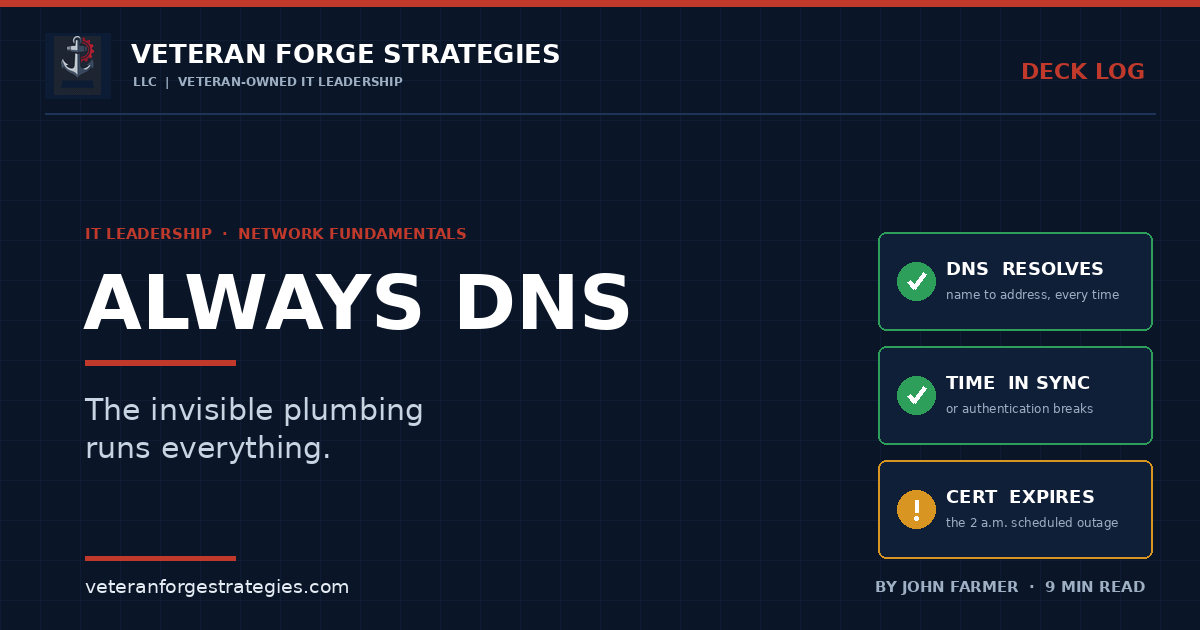
It’s Always DNS: The Invisible Plumbing That Runs Everything
There is a running joke in IT that every stubborn outage, no matter what it looks like, eventually turns out to be the same thing. The joke is funny because after twenty-five years of chasing these, I can tell you it is usually right.
Ask any IT person what breaks production, and before the serious answer you will get the joke: “It’s always DNS.” It has been a sysadmin haiku, a t-shirt, a thousand incident post-mortems. It is funny because it is true often enough to be unsettling — and because the people who laugh hardest are the ones who just lost an afternoon to it.
But “DNS” is really shorthand for something bigger. The real lesson underneath the joke is this: the outages that eat the most time are almost never the dramatic, obvious failures. They are the invisible plumbing — the handful of quiet services that everything else silently depends on, that nobody thinks about until the day they stop. DNS is the most famous of them. It is far from the only one.
Why the plumbing is invisible on purpose
Good infrastructure is designed to disappear. When name resolution, address assignment, time, and trust all work, no user ever thinks about them — they just open a file, send an email, log in. That invisibility is the goal. It is also the trap. Because these services never ask for attention when they are healthy, they fall off everyone’s mental map. They are not on the dashboard anyone actually looks at. They are not in the runbook. And when one of them fails, it does not fail politely with a banner that says “DNS is down.” It disguises itself as something else entirely, and you burn two hours blaming the wrong thing.
That is the pattern I want to unpack, because once you see it, you stop chasing symptoms and start checking the pipe.
DNS: the single point of failure nobody mapped
Start with the famous one. The Domain Name System turns names people can remember into the numbers machines actually use. Every connection your business makes — to a file server, a website, a cloud application, a mail host — starts with a name that has to be resolved to an address first. Which means DNS sits in front of nearly everything, and when it misbehaves, the failure shows up downstream, wearing a disguise.
A user can’t reach the file share, so you check the file server — and it is fine. The website “is down” for one office but loads everywhere else. An application throws a connection error that looks like the application’s fault. Nine times out of ten the thing being blamed is innocent. The culprit is a stale DNS record pointing at a server that was decommissioned, a change that has not propagated because of a time-to-live set years ago, a split-horizon setup where internal and external answers disagree, or one forwarder quietly timing out. The symptom and the cause are in completely different places, and that gap is exactly where the hours go.
The reason DNS earns the joke is not that it is fragile. It is that it is central and undocumented. In most small and mid-sized environments, nobody has written down what resolves where, which records are load-bearing, or what that “temporary” entry from 2019 is still holding up. You cannot reason about a dependency you have never mapped.
DHCP: the pool that quietly ran dry
Right behind DNS is its partner nobody mentions. The Dynamic Host Configuration Protocol hands out IP addresses to everything that joins the network — laptops, phones, printers, badge readers, the thermostat someone connected last spring. It works flawlessly for years, so it leaves everyone’s mind entirely.
Then one morning new devices can’t get online, or they get an address but no network, and it looks like a switch problem or an internet outage. What actually happened is mundane: the DHCP scope was sized for the device count you had when it was configured, and you quietly doubled that count over time. The pool ran dry, or the lease time was so long that departed devices were still holding addresses they no longer needed. No alarm fired, because capacity exhaustion rarely does. The network did not break. It ran out of room, which looks like breaking to everyone affected.
Time: the drift that breaks trust
Here is one that almost nobody watches, and it is my favorite example because the failure is so far from the cause. Computers have to agree on what time it is. Not roughly — closely. Authentication protocols like Kerberos, which underpins logging into a Windows domain, reject requests when the clocks on either end disagree by more than a small window, typically around five minutes. The whole point is to stop replayed credentials, and it works by trusting the clock.
So when time synchronization drifts — a virtual machine host with a bad clock, a domain controller that lost its time source, a firewall blocking the time service — what you see is not “the time is wrong.” What you see is users who suddenly can’t log in, services that fail to authenticate to each other, scheduled jobs that misfire, and log timestamps that no longer line up when you try to piece together what happened. Time is the substrate under authentication, logging, and certificate validation all at once. When it slips, it takes all three with it, and none of them say the word “time.”
Certificates: the outage you scheduled months ago
The last of the quiet four has the cruelest timing of all. A TLS certificate does not fail when you are watching. It fails the instant it expires — on a date someone set months or years ago and then moved on from — and that date always seems to land at two in the morning on a holiday weekend. Suddenly a website throws security warnings, an application can’t talk to an API, or mail stops flowing between systems, and a clock that had been ticking silently for two years goes off all at once.
Expired certificates have taken down payment systems, government services, and global platforms — not because the fix is hard, but because nobody was watching the date. The knowledge that it would expire existed the whole time. It simply did not live anywhere that would warn a human before the deadline instead of after. A certificate expiry is the most preventable outage in all of IT and one of the most common to actually suffer, and the only thing standing between those two facts is whether anyone is tracking the calendar.
Why the plumbing always wears a disguise
Line those four up — name resolution, address assignment, time, and trust — and the common thread is obvious. Each one sits underneath the thing the user actually touches. So when one fails, the error surfaces at the application, the browser, the login screen — one or two layers above the real problem. The instinct, under pressure, is to troubleshoot where the symptom appears. That instinct is what the plumbing exploits. You spend the first hour on the innocent layer because that is where the smoke is, and the fire is one floor down.
The fastest troubleshooters I have worked with over the years are not smarter or faster with their hands. They have simply learned the discipline the joke is really teaching: when something breaks in a way that does not add up, check the layer underneath before you tear apart the layer on top. Can the machine resolve the name? Did it get a valid address? Do the clocks agree? Is the certificate still valid? Four questions, two minutes, and you have ruled out the usual suspects before you have touched the application everyone is blaming. That is the entire reason “it’s always DNS” survives as a joke — it is a reflex disguised as a punchline.
When the plumbing meets a real disaster
The invisible services matter most on the worst day. Picture the scenario everyone plans for — a server fails, ransomware hits, a site loses power. You fail over to backups or a secondary location, and now you are leaning entirely on the plumbing to hold while you recover: DNS pointing clients at the new location, DHCP handing out addresses on the recovery network, clocks in sync so authentication works, certificates valid on the systems you just stood up. I have watched clean recoveries stall — not because the backups were bad, but because a DNS record still pointed at the dead server, or a failover host’s clock was an hour off and nothing would authenticate. The recovery you have never tested is a rumor for exactly this reason: these dependencies stay hidden until you exercise them under real conditions. A restore that completes but can’t resolve a name or validate a certificate is not a recovery. It is a second outage stacked on top of the first. Mapping and testing the plumbing is part of testing the recovery, not a separate chore you get to later.
Where this usually goes wrong
- The dependencies were never mapped. If no one has written down what resolves where, which records and scopes are load-bearing, and what depends on them, you are debugging blind every time.
- Capacity is assumed, not watched. DHCP pools and other finite resources don’t break — they run out, silently, and the failure looks like something else.
- Time is treated as free and automatic. It is neither. An unwatched clock is an authentication outage with a delay timer on it.
- Expiration dates live in someone’s head. Certificates, domains, and the like are scheduled outages unless the reminder lives somewhere a human actually looks, loudly, before the date.
- Monitoring watches the app, not the plumbing. Plenty of shops monitor whether the website is up but never check whether DNS resolves, the clock is synced, or the cert is days from expiry.
The unglamorous fix
None of the protection here is expensive or clever. It is discipline, which is exactly why it gets skipped.
Map the plumbing. Document what resolves where, which DNS records matter, how DHCP is scoped, where time comes from, and what certificates exist and when they expire. This is the same muscle as keeping a real inventory of what you actually have — you cannot protect or troubleshoot a dependency you have never written down.
Monitor the layer underneath, not just the surface. Watch DNS resolution, DHCP capacity, time sync, and certificate expiry directly, with alerts that reach a human before customers do. The entire point of good monitoring and alerting is to know first — and the plumbing is precisely what most monitoring forgets to watch.
Rehearse the reflex. When an incident does not add up, check resolution, addressing, time, and trust before you dismantle the application. The teams that recover fastest are the ones who already know what to do in the first hour, and that starts with checking the pipe instead of the paint.
For a federal buyer or a prime evaluating past performance, this is the difference between a shop that gets lucky and one that runs disciplined infrastructure. Continuity, auditability, and clean incident response all rest on the same invisible services — and the organization that has mapped and monitored its plumbing is the one that does not lose a day to an expired certificate or a drained address pool. That is not a claim in a capability statement. It is a habit, and it shows.
So the next time something breaks in a way that makes no sense, resist the urge to tear apart the obvious thing. Check the plumbing first. Because when it finally goes sideways, the fastest people in the room are not the ones who panic. They are the ones who already checked DNS.
Veteran Forge Strategies is an SBA-Certified Service-Disabled Veteran-Owned Small Business providing IT infrastructure, operations, and cybersecurity support to small businesses and federal clients from Northern Virginia. If the services everything depends on have never been mapped or monitored — DNS, DHCP, time, and certificates — that is exactly the engagement — get in touch. You can also read about how a fractional IT engagement works, the path from SAM.gov to a first subcontract, or browse the rest of the Deck Log.