The Restore You’ve Never Tested Is a Rumor
Every organization I have worked with had backups. A much smaller number could tell me how long it would take to get the business running again, and a smaller number still had ever found out.
Backups are copies. That is all they are.
There is a comfortable moment that happens in a lot of small organizations. Backups are configured, the job reports success every morning, somebody checks the box on the insurance questionnaire, and the subject closes.
What closed was the copy question. The copy question is real and it matters — but it is the easy half. The half that decides whether you are still operating next Thursday is a different set of questions entirely, and they are business questions wearing technical clothing:
- How long can we be down before it actually costs us something we cannot absorb?
- How much recent work can we afford to lose and re-create?
- When we start bringing things back, what comes back first — and who decided that?
- Who makes the call to declare this a disaster at all?
- If email is the thing that is down, how do we reach each other?
None of those are answered by a green checkmark on a backup job. And in my experience, the gap between “we have backups” and “we can recover” is where most of the real damage lives — not in the incident itself, but in the six hours of improvisation that follow it.
First, an honest correction
Here is the part most articles on this subject get backwards, including ones written for federal contractors.
If you are a defense contractor handling Controlled Unclassified Information, you may assume CMMC or NIST SP 800-171 requires you to have a tested recovery capability. It does not.
NIST SP 800-171 Rev 2 excludes contingency planning from scope outright — the publication states that contingency planning, system and services acquisition, and planning requirements “are not included within the scope of this publication due to the tailoring criteria.” Rev 3 excludes it as well, and is even more explicit about why: “the Contingency Planning (CP) family is not included because it addresses availability.” The standard is about protecting the confidentiality of CUI. Your ability to keep operating is, by design, somebody else’s problem.
Backups do appear in 800-171 — but only as a confidentiality control. Rev 2’s requirement 3.8.9, under Media Protection, says to “protect the confidentiality of backup CUI at storage locations.” Rev 3’s 03.08.09 adds cryptographic-mechanism language to the same idea. Read them closely and you will notice what is not there: nothing requires the backup to be restorable. You can satisfy that requirement completely with an encrypted archive that has never once been opened.
I am not saying this to be clever about the standard. I am saying it because it changes who has to care. Nobody is going to make you test the restore. No assessor is going to ask. If a tested recovery capability exists in your organization, it exists because a business decision was made to fund it — not because a framework forced the issue. That is worth knowing before you build a program on the assumption that compliance will carry it.
Contingency planning is a control family — in NIST SP 800-53, which applies to federal systems and reaches contractors through an agency’s own authorization baseline and the contract, not through 800-171. And NIST SP 800-34 Rev 1, the Contingency Planning Guide, is where the vocabulary below actually comes from. If you want a serious reference that is free and not vendor marketing, that is the one.
RTO and RPO, in numbers you can defend
These two acronyms are the entire conversation, and they are simpler than they sound.
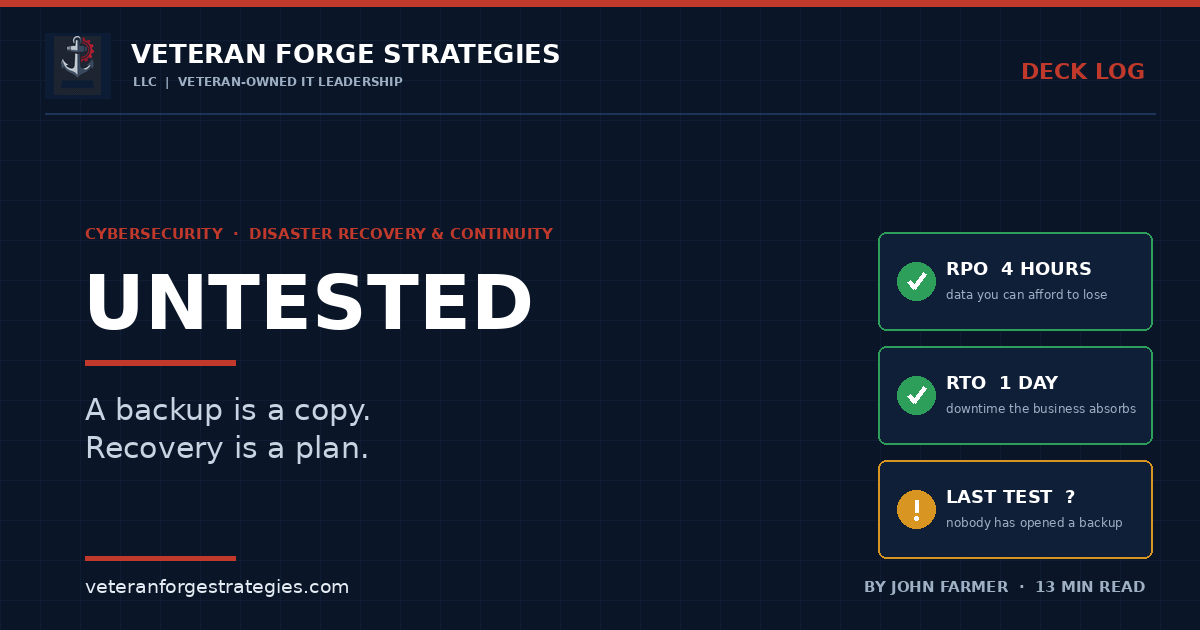
RPO — Recovery Point Objective — is how much data you are willing to lose, measured in time. If you back up nightly at 10 p.m. and the server dies at 4 p.m., you have lost eighteen hours of work. Your RPO is set by your backup frequency, whether or not you chose it deliberately. Most organizations have an RPO of “however often the job happens to run,” which is a decision nobody made.
RTO — Recovery Time Objective — is how long you can be down before the consequences stop being annoying and start being serious. Not how long the restore takes. How long the business can absorb.
The reason to write these down as numbers is that it forces a conversation with someone who owns a budget. Here is the shape of it in a small organization:
Take a 40-person company where the ERP or job-costing system is the thing everyone touches. Ask the owner what a day without it costs. You will usually get an answer built from real things — invoices not going out, jobs not getting scheduled, crews standing around, a customer commitment missed. Say it lands somewhere around a full day of billable output. Now ask what losing a day of data entry costs: re-keying, reconciling, and the work that never gets reconstructed because nobody remembers it.
Now you have two numbers that are not IT opinions. They belong to the business. And they make the next question answerable: given that, what are we willing to spend so the outage is four hours instead of three days?
That question has a real answer. “Do you want good backups?” does not — everybody says yes to that, and then nothing gets funded.
One caution I would add from experience: the RTO people give you the first time is almost always too aggressive, because it is aspirational rather than costed. An hour sounds reasonable until you price the warm standby that makes an hour possible. Let the number move once the cost is visible. A written four-hour RTO you can actually meet is worth infinitely more than a one-hour RTO on paper.
Restoration order is a dependency problem
“Bring everything back” is not a plan, because everything cannot come back at once and the sequence is not obvious under pressure.
Almost every system depends on something else being up first. Authentication before applications. DNS and network before either. The database before the app server that talks to it. The license server nobody thinks about until the software refuses to launch. The line-of-business application that quietly needs a file share that lives on a different box.
None of this is exotic. All of it is invisible until 2 a.m., when it is discovered by trial and error by whoever is awake.
Working out that order is the same discipline as planning a migration cutover — you are mapping what depends on what, and the mapping is the work. I have written about why dependency mapping takes longer than the move itself, and recovery sequencing is the same exercise done in advance instead of during an emergency.
It also depends on something more basic: knowing what you have. A restoration order can only cover the systems that appear on a list somewhere, and the closet server that never made it into the inventory does not stop being load-bearing just because it is undocumented. That is the practical argument for a current inventory — it is the input to this, not a separate housekeeping exercise.
One more piece of the order that gets missed: access. If the directory is what is down, who can log into the backup console? Is that credential stored somewhere that survives the outage, or is it in a password manager that authenticates against the thing that just died? Emergency access needs to be designed deliberately, and it is the one place where a documented break-glass account is the right answer rather than a violation of everything else you do about access.
Who decides, and how do you reach anyone
The technical plan is usually the part that exists. The decision plan usually is not.
Somebody has to declare an incident. That declaration is what switches the organization from “IT is looking into it” to “we are executing the plan,” and it usually carries money with it — spinning up replacement infrastructure, calling in a vendor, telling customers. If it is not clear in advance who has that authority, the default is that nobody exercises it and everyone waits, which is the most expensive option available.
Write down three things:
- Who declares. Named person, named alternate. Not a role that maps to two people who will each assume the other has it.
- Who communicates. One voice to staff, one voice to customers. Improvised customer communications during an outage cause damage that outlasts the outage.
- How you reach each other when the normal channel is gone. If email or the phone system is what is down, a contact list stored in email is a contact list you do not have. Personal mobile numbers on paper, in a couple of physical locations, is unglamorous and works.
That last one catches people constantly. Out-of-band communication is not a sophisticated capability. It is a printed page in a drawer, and the reason it is missing is that it feels too simple to be part of a real plan.
Ransomware changed what “backup” has to mean
The threat model this discipline was built for was a hardware failure, a flood, a bad change. Those still happen. But the scenario that now drives most recovery planning is one where something is actively trying to prevent you from recovering.
The 2026 Verizon Data Breach Investigations Report puts ransomware at roughly 48% of all breaches, up from about 44% the prior year, with around 69% of victims not paying. That last number is the important one, and it is good news wrapped in a demand: the practical alternative to paying is restoring, and restoring is a capability you either built beforehand or did not.
What that means concretely for backups:
- Your backups are a target, not a bystander. Modern ransomware operators look for the backup infrastructure first, because encrypting production and leaving you a clean recovery path defeats the business model. A backup server joined to the same domain, reachable with the same admin credentials, is part of the blast radius.
- Immutability and separation are the controls that matter. Copies that cannot be altered or deleted for a defined retention window, and at least one copy that is not reachable from the production environment with production credentials. This is the modern version of the old 3-2-1 rule, and it is the difference between having backups and having backups an attacker cannot reach.
- Attackers dwell before they detonate. Credential theft frequently precedes ransomware by weeks or months, which means your backup retention has to be long enough to reach back past the compromise. If everything you keep is thirty days old and the intrusion started in month three, all your copies are copies of a compromised environment.
- Recovery is not just restoring data. It is restoring data into an environment you have reason to believe is clean. Rebuilding rather than restoring systems, forcing a credential reset, and knowing what to watch afterward are all part of the timeline, and none of them are in the vendor’s stated restore speed.
This is also where recovery planning and detection stop being separate subjects. How long it takes you to notice is the front half of how long it takes you to recover.
The tabletop drill, on a small-business budget
An untested plan is a document, and I would go further: an untested plan is usually wrong, in specific ways you would rather find out about cheaply.
You do not need a consultant or a lost weekend. Two hours, the right five people, a conference room.
Pick a plausible scenario and be specific — “the file server and the ERP database are encrypted, discovered 7 a.m. Monday” beats “there is a cyber incident.” Then walk it minute by minute and write down every place someone says “I think” or “we’d probably.” Those are your findings. You are not testing whether people are competent; you are finding out which parts of the plan exist only in one person’s head.
The questions that generate the most useful discomfort:
- Who noticed, and how? What if it had happened Friday night instead?
- What is the first system we bring back, and why that one?
- Where is the backup console, and who can authenticate to it right now?
- What do we tell customers, when, and who writes it?
- What do the 35 people who cannot work do on Monday?
Separately from the tabletop, do one real technical test: restore a single meaningful system to a scratch environment and open it. Not a file — a system. Confirm the data is there, the application starts, and someone who uses it daily agrees it looks right. Time it. That number is your actual RTO for that system, and it is almost always larger than the number you would have guessed.
Do that once a year and you are ahead of most organizations of your size. Do it after any major infrastructure change and you are ahead of some much larger ones.
The federal and contractor angle
Because 800-171 does not carry contingency planning, contractors need to look elsewhere for what actually applies to them.
- Read the contract, not the framework. Continuity and availability requirements for contractors typically arrive through the contract itself — an agency’s system security requirements, an SLA, a continuity-of-operations expectation for a service you are operating on the government’s behalf. If you are operating a system inside an agency’s authorization boundary, the Contingency Planning family from NIST SP 800-53 reaches you through that baseline.
- Use 800-34 as the free playbook. NIST SP 800-34 Rev 1 gives you the vocabulary, the plan structure, and the testing guidance without a licensing conversation. Even for a purely commercial small business, it is a better starting outline than anything you will be sold.
- Do not confuse the confidentiality requirement with a recovery requirement. Encrypting your backups satisfies 3.8.9 / 03.08.09. It does not mean you can recover, and an assessor confirming the former is not telling you anything about the latter.
- Downtime is a past-performance problem. For a small contractor, the practical consequence of a bad outage is rarely a compliance finding. It is a customer who now has a reason to question whether you can carry the work. Anyone still building toward a first subcontract should treat continuity as a credibility asset, not a cost center.
Where this usually goes wrong
- Confusing backup success with recovery capability. A green job report says a copy was written. It says nothing about whether it opens.
- RPO set by accident. Whatever the schedule happens to be becomes the policy, and nobody ever chose it.
- An RTO nobody costed. One hour on paper, three days in reality, because the number was never priced.
- Backups reachable with production credentials. If domain admin can delete them, so can whoever has domain admin at 3 a.m.
- Retention shorter than dwell time. Thirty days of copies is useless against an intrusion that began ninety days ago.
- The contact list living in the system that is down. Print it.
- No named decision-maker. Everyone waits for someone else to declare, and the meter runs.
- Testing the plan the same week you wrote it, then never again. Environments drift. So does the plan’s accuracy.
Restore one thing this month
You do not need a program to start. You need one system, one scratch environment, and an afternoon.
Pick the application that would hurt most, restore it somewhere it cannot do damage, open it, and have the person who uses it every day tell you whether it looks right. Write down how long it took and everything that surprised you. That document — a real timing, a real list of surprises — is worth more than any plan template you will ever download, because it is about your environment and it is true.
Then do it again next year, and after the next big change.
The organizations that come back fast are not the ones with the best backup software. They are the ones who had already found out what happens when you press the button.
Veteran Forge Strategies is an SBA-Certified Service-Disabled Veteran-Owned Small Business providing IT infrastructure, operations, and cybersecurity support to small businesses and federal clients from Northern Virginia. If your backups run every night and nobody has opened one in a year, that is the engagement — get in touch. You can also read about how a fractional IT engagement works, or browse the rest of the Deck Log.