Better Security for Less Money Is Usually a Lie
Security and budget almost always pull in opposite directions. I want to describe the uncommon case where they didn’t — and be honest about what it cost, and who shouldn’t copy it.
The renewal quote that started it
Most firewall projects do not begin with a security review. They begin with a renewal quote.
The appliance is a few years old. Support is expiring. The subscription bundle that makes the thing actually useful — the filtering, the threat feeds, the VPN client licensing — renews as a single line item that has quietly grown every cycle. Somebody forwards it for approval, and the only question anyone asks is whether there is budget.
That is how the perimeter ends up being managed by an invoice.
At Capitol Exhibit Services, where I have been the sole IT lead since 2010, I replaced a licensed SonicWall appliance with a pfSense-based edge. The outcome was better secure remote access and lower recurring cost. Both, not a trade-off. That combination is rare enough that I want to explain exactly how it happened, because the reasons matter more than the result — and because it is not the right answer for everyone.
What actually gets replaced
The first thing worth saying is that “swap the firewall” wildly undersells the work.
A perimeter device is not one thing. It is an accumulated record of every decision anyone made about how your network talks to the world, going back years. In this case that meant every VPN client and its configuration, every port forward, every VLAN and the rules governing traffic between them, every remote-access rule, every static route, every NAT entry that exists because of some vendor requirement from 2016.
Almost none of that is documented anywhere except on the device itself. And a meaningful share of it is obsolete — rules for systems that are gone, access for people who left, port forwards nobody can explain. You will not know which is which until you go through them one at a time.
That inventory is the project. The actual cutover is a short window at the end. I have written before about why the dependency mapping takes longer than the move, and a firewall replacement is that principle in miniature: the edge is one box, but it is a box with a hundred dependencies pointed at it, and it is also the box that will be blamed for every unrelated problem in the following two weeks.
Two things make this survivable. The old device stays configured and available until you are certain — a perimeter cutover should be reversible in minutes, not hours. And you rebuild rules deliberately rather than importing them, because a migration is the only moment you will ever be given to delete the ones that should not exist. If you carry the old ruleset across wholesale, you have moved your technical debt to a new platform and paid for the privilege.
What pfSense is, and what it isn’t
The reaction I get to this is predictable: isn’t that a homelab thing?
It is a fair question, and the honest answer has two halves.
On the credibility side, the deployment base is not hobbyist. When Netgate announced pfSense availability on AWS GovCloud (US) — an isolated AWS region intended for sensitive and regulated workloads — the company cited over a million installs across enterprise, higher education, and government. Netgate also publishes a customer story about the USNS Mercy, the Navy hospital ship, describing a Netgate appliance and pfSense Plus deployed during its COVID-19 response to carry medical, staff, and vessel traffic across bandwidth-constrained ship circuits, with traffic-shaping policies to keep clinical data moving. As a Navy veteran I will admit that one made me smile.
Two caveats I want to state plainly, because they belong in the same paragraph as the claims. Both of those data points come from the vendor’s own published materials — they are consistent and public, but they are Netgate’s numbers about Netgate’s product. And “available in GovCloud” is a statement about where the software can run. It is not a FedRAMP authorization for pfSense itself, and it is not a compliance certification. Anyone evaluating this for a regulated environment needs to check the actual authorization boundary rather than inferring one from a marketplace listing.
On the other side, the criticism has merit too. For the largest and most complex enterprises — those wanting deep application-layer inspection, centralized policy across dozens of sites, mature vendor-integrated threat intelligence, and a support relationship with an SLA attached — this is not a Palo Alto or Fortune 100 replacement, and I would not pretend otherwise.
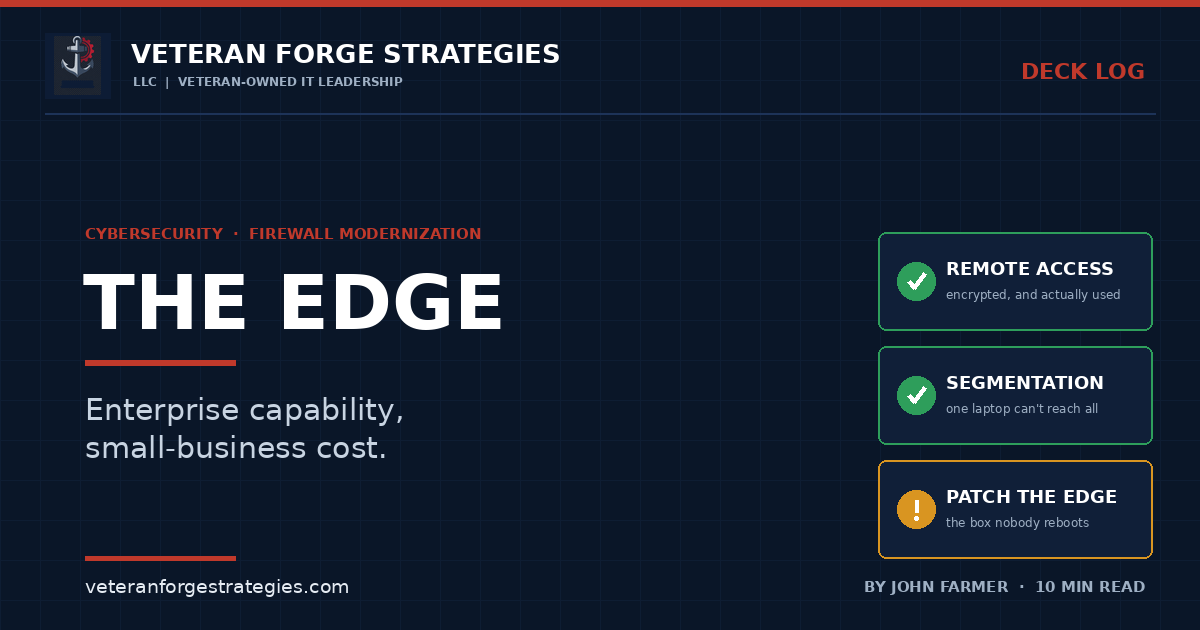
The accurate framing is narrower and more useful: enterprise-class capability at a cost a small business can actually carry. That is a real and underserved position in the market. It is not the same claim as “better than everything else.”
The four things that actually matter at your edge
Whatever platform you land on, the evaluation should be about capability, not brand. Four things carry most of the weight.
1. Encrypted remote access people will actually use
This is the one that gets treated as a technical decision when it is really a behavioral one. A VPN that is slow, drops constantly, or requires a support ticket to reconnect does not get used — it gets worked around, usually by moving company data into whatever consumer tool is easier. Remote access that is fast and boring is a security control, because it is the option people take when they are in a hurry. Judge it on whether your least technical user connects without thinking about it.
2. Segmentation
One compromised laptop should not be able to reach everything you own. Flat networks are the reason a single phishing click becomes an organization-wide incident instead of a bad afternoon for one person. Separate what needs separating — guest traffic, user workstations, servers, and above all the devices nobody patches: printers, cameras, building systems, anything with an embedded OS and a vendor who stopped issuing updates years ago.
3. Logs you can actually search
The value of a firewall log is realized entirely in the twenty minutes after something looks wrong. If answering “did this host talk to that address last Tuesday” requires an export and a spreadsheet, you will not ask the question, and the log may as well not exist. Retention and searchability matter more than volume, and this is where the edge feeds into alerting that tells you before your users do.
4. Patching the firewall itself
Perimeter devices are among the most aggressively targeted systems in existence, and they are also the ones organizations are most reluctant to reboot, because everything stops when they do. That reluctance is exactly what attackers rely on. A maintenance window you schedule is always cheaper than one an incident schedules for you.
The money, honestly
I want to be careful here, because “we saved money” is the easiest claim to make and the hardest to substantiate.
The savings in this case were real and recurring, and they came from the licensing model rather than from any clever negotiation. Commercial appliance vendors typically sell the hardware and then sell the capability as annual subscriptions — filtering, threat feeds, remote-access seats, support tier — with the practical result that letting a subscription lapse degrades a device you already own. Open-source-based platforms shift that cost structure: you buy hardware, and support is a separate, optional decision rather than the price of keeping features turned on.
Two honest qualifications. First, this trades recurring licensing for your own time — configuration, updates, and troubleshooting land on you instead of on a vendor’s support contract. If that time is scarce or expensive, the savings are smaller than the invoice comparison suggests, and can be negative. Second, the migration itself is real work that has to be done carefully. The payback is genuine, but it is measured over years, not in the first quarter.
The right way to present this to a decision-maker is not “it’s cheaper.” It is: here is the recurring cost, here is the capability at each option, and here is the labor each one assumes. Then let the numbers argue.
When you should not do this
A recommendation with no failure conditions is marketing. These are the cases where I would tell you to renew the commercial appliance instead:
- Nobody owns the network. If there is no internal person who is genuinely comfortable with firewall rules, routing, and VPN configuration — and no partner filling that role — a vendor support contract is buying you something real. Do not trade it away to save a line item.
- You have a contractual or insurance requirement naming a specific product or certification. Read the requirement before you shop. This is not the fight to pick.
- You are managing many sites centrally. Centralized multi-site policy management is where commercial platforms genuinely earn their premium.
- Your current device is fine and the renewal is reasonable. Change carries risk. “It works and it’s fairly priced” is a complete answer, and modernizing something that isn’t a problem is how you create one.
The federal and contractor angle
For contractors, the edge is where several requirements converge at once. Boundary protection, remote-access controls, network segmentation, and audit logging all live at or near the perimeter, and the safeguarding requirements that apply to Controlled Unclassified Information touch every one of them.
The practical consequences are less about product choice than most people expect:
- Know what your boundary is. Segmentation is the mechanism that determines how much of your environment falls inside the assessment scope. A flat network means everything is in scope, and scope is cost.
- Logging is evidence. Retention period, review cadence, and the ability to produce records on request are what an assessor asks about — having logs and being able to demonstrate you review them are different claims.
- Verify authorization claims yourself. Marketplace availability is not certification. If a requirement names FedRAMP or a specific authorization boundary, confirm the product actually carries it rather than inferring it from where it can be installed.
- Know what you have first. You cannot protect a boundary you have not inventoried. The device in the closet is on your network whether or not it’s in the diagram.
Where this usually goes wrong
- Importing the old ruleset wholesale. You migrate every mistake and lose the one chance to clean them up.
- No rollback. Decommissioning the old device the same night, so there is nothing to fall back to at 9 a.m.
- Cutting over without a full inventory of what depends on the edge. The port forward nobody remembered is the outage.
- Treating the firewall as finished once it’s installed. Unpatched perimeter devices are a leading cause of intrusion, not a maintenance nicety.
- Choosing on price alone. The cheapest edge is the one where nobody knows how it’s configured.
Review what’s running at your edge
The reason this project worked was not the platform. It was that replacing the device forced a real review of what the perimeter was actually doing — which rules existed, who had access, what was segmented, what was being logged, and what had been true only because nobody had looked in six years.
Most organizations get that review exactly as often as they replace the hardware. That is too seldom. The rules drift, the access accumulates, and the device keeps doing what it was told in 2019 by someone who no longer works there.
You do not need to change platforms to do the review. You just need to do it.
Veteran Forge Strategies is an SBA-Certified Service-Disabled Veteran-Owned Small Business providing IT infrastructure, operations, and cybersecurity support to small businesses and federal clients from Northern Virginia. If you have a renewal quote in your inbox and no clear sense of whether the device is earning it, get in touch. You can also read about how a fractional IT engagement works, or browse the rest of the Deck Log.