You Can’t Patch a Server You Don’t Know Exists
The unglamorous discipline underneath security, patching, budgeting, and every audit you will ever sit through — and why I built one from scratch before I had a tool to buy.
The server nobody owned
Nearly every IT professional who has inherited an environment has found one: a machine running quietly somewhere it should not be, doing something nobody can fully explain, set up by a person who left the company years ago.
It is not patched, because no patching process knows it exists. It is not backed up, because no backup job was ever pointed at it. It is not monitored. It is not in any diagram. And it is running something the business would very much notice the absence of, which is the only reason it is still powered on.
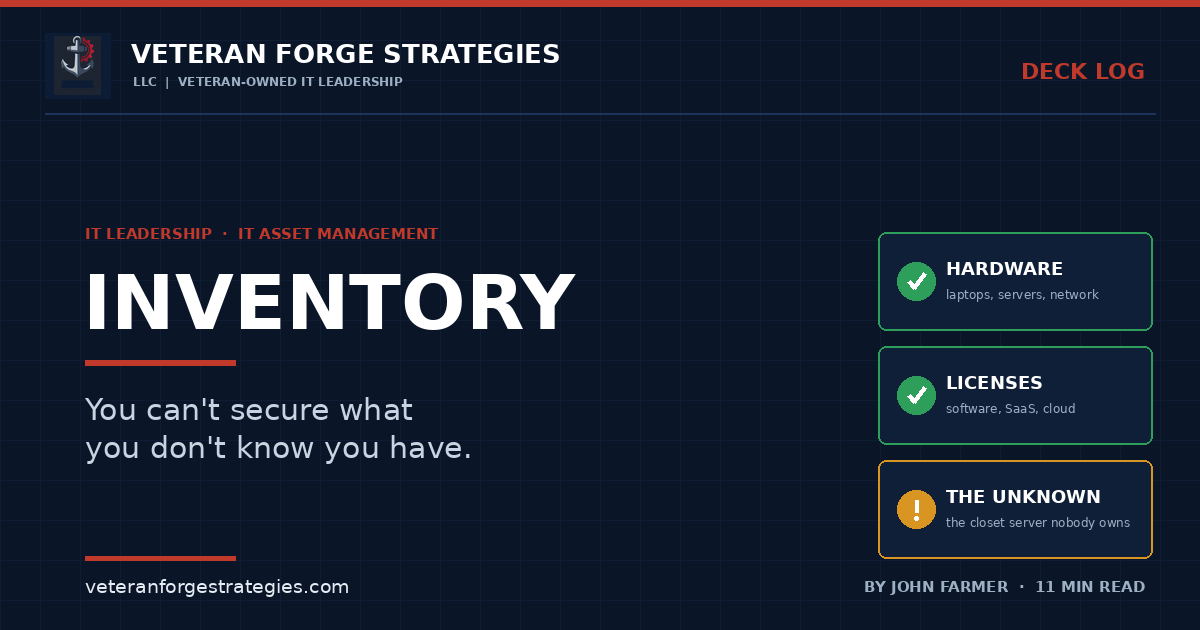
That machine is not really a server problem. It is an inventory problem — and inventory problems have a specific character: they are invisible until they are expensive.
Ask a small organization for a complete list of every device, server, license, and cloud subscription they own, and the honest answer is usually a shrug, or a spreadsheet that was accurate two years ago. That gap between what you own and what you can account for is where nearly every avoidable IT failure lives.
Early in my career I built an asset-tracking system from scratch. Not because building software was the goal, but because the alternative — guessing — had already proven itself inadequate, and there was nothing available that fit. The lesson from that project has held up across twenty-five years and four organizations: you cannot secure, patch, budget for, or defend in an audit anything you do not know you have.
Inventory is not a list of laptops
Most organizations that believe they have asset management have a hardware list. That is one layer of five, and it is usually the layer that causes the least trouble.
1. Hardware
Workstations, laptops, servers, network gear, printers, phones, and the physical infrastructure around them — UPS units, storage arrays, access points. For each one that matters: what it is, where it is, who has it, what it does, when it was purchased, when support or warranty expires, and when it is scheduled to be replaced.
2. Software and licensing
What is installed, what edition, how many seats you own versus how many are deployed. This layer produces two distinct failure modes and they point in opposite directions: paying for licenses nobody uses, and being out of compliance on licenses you under-counted. Both are found in the same review, and one of them is a legal problem.
3. Subscriptions and SaaS
The layer that has grown fastest and is tracked worst. Recurring charges that renew automatically, often bought with a departmental card, frequently unknown to IT entirely. Every one of them holds company data and represents an account that has to be closed when somebody leaves.
4. Cloud resources
Virtual machines, storage buckets, databases, load balancers, orphaned snapshots, and the test environment somebody spun up in March and never destroyed. Cloud inventory decays faster than physical inventory because creating a resource takes thirty seconds and nobody has to find rack space for it.
5. Identities and accounts
Not traditionally called an asset, but it belongs here. Every account is an entry point, and accounts attached to systems and services are exactly as real as the hardware. An inventory that tracks the laptop but not the six SaaS logins that were provisioned alongside it is not complete.
How to actually find what you have
Nobody builds an accurate inventory by asking people what they own. You build it by triangulating from several independent sources, because each one is blind in a different direction.
- Network discovery. Scan your subnets and see what answers. This finds live devices regardless of whether anyone remembered to write them down, and it is how the closet server usually surfaces.
- Endpoint and MDM agents. Whatever manages your workstations and mobile devices already holds an authoritative list of what it manages. Its more useful output is the difference between that list and your network scan — devices on the network with no agent are your actual problem set.
- Directory and admin consoles. Active Directory or Entra ID for computer and user objects; the Microsoft 365 or Google admin center for licenses actually assigned versus purchased. This is where you find the eleven seats you are paying for that are attached to nobody.
- Financial records. The most underrated source in the list. Expense reports, credit card statements, and the AP ledger will reveal every subscription IT never knew about, because someone had to pay for it. If you want to find shadow SaaS in an afternoon, ask accounting for twelve months of recurring charges.
- Vendor and license portals. Your Microsoft, Adobe, hardware vendor, and hosting portals know exactly what you bought and when support lapses. That data is authoritative and free.
- Asking people. Last, not first — but not skipped. Discovery tools cannot find the tablet in a drawer or explain why a system exists. Reconcile the machine-generated list against the humans who use it.
The first pass will be uncomfortable. That discomfort is the value; every surprise you find is a risk you were already carrying and had not priced.
Keeping it current, which is the whole problem
Building an inventory is a project. Keeping one accurate is a process, and this is where almost every effort fails. An inventory that is six months stale is worse than useless, because people trust it and make decisions from it.
Four things keep it alive:
- Someone owns it. Not “the IT team” — a specific person accountable for the record being correct. Shared ownership of a dataset reliably produces an incorrect dataset.
- It is wired into the moments assets change. Procurement, deployment, and especially offboarding. If the inventory is only updated during an annual push, it will be wrong by February. The support workflow is the natural hook — the help desk already touches most asset changes as they happen, so capturing them there costs almost nothing.
- There is a scheduled reconciliation. Quarterly is enough for most small organizations. Re-run discovery, compare against the record, investigate every difference. Differences are not clerical errors; each one is either an untracked asset or a process that is not being followed.
- It stays as simple as it can be. An inventory with forty fields per asset will not be maintained. Twelve fields that are always accurate beat forty that are usually blank.
What an accurate inventory actually buys you
Asset management is a hard sell precisely because it produces no visible output of its own. Its value is entirely in what it makes possible elsewhere.
Security
Your attack surface is defined by what you own, not by what you have documented. Every untracked device is an asset outside your controls — unpatched, unmonitored, and unmanaged by definition. There is a reason essentially every security framework opens with inventory rather than with firewalls: you cannot apply a control to something you have not enumerated. This is also the honest prerequisite for monitoring, which can only watch systems someone thought to point it at.
Patching
Patch compliance reported as a percentage is meaningless without a denominator. “98% of managed endpoints are current” says nothing about the endpoints that are not managed, and those are the ones that will be involved in the incident.
Budget
This is the argument that works with a CFO, and it is not theoretical. A first serious pass at license and subscription reconciliation almost always finds real recurring money — seats assigned to departed employees, duplicate tools bought by two departments, renewals for products nobody has opened in a year. Beyond the immediate reclaim, an accurate inventory with purchase dates and warranty expirations converts hardware refresh from an annual surprise into a forecast.
Audit and due diligence
“What do you own, and where is it?” should take minutes to answer, not a week of scrambling. That is true for a compliance assessment, a cyber-insurance questionnaire, an acquisition, and an incident. The organizations that answer quickly are not smarter; they kept the list current.
Migrations
Every cutover I have run began with dependency mapping, and dependency mapping is inventory with the relationships drawn in. The systems that derail a migration are always the ones nobody knew were load-bearing — which is the same closet server, viewed from a different angle. See the zero-downtime playbook for how that mapping gets used in practice.
Build, buy, or spreadsheet
I built an asset-tracking system myself, so I will say plainly that building is usually the wrong answer now. It was the right answer then because the tooling did not exist at a price a mid-size IT department could justify. That is no longer true.
A reasonable progression:
- A spreadsheet is genuinely fine below roughly fifty assets, provided it has an owner and a review cadence. Do not let anyone shame you out of a spreadsheet that is accurate. An accurate spreadsheet outperforms an abandoned platform every single time.
- Adopt a tool when manual maintenance starts failing — usually somewhere between fifty and a couple hundred assets, or as soon as you need automated discovery, license reconciliation, and change history rather than a static list. The right tool is the one your team will actually keep current.
- Build only when your asset model is genuinely unusual and no product fits it. That is rare, and the maintenance burden is permanent. I have been on both sides of this and would not choose to build again without a strong reason.
Whatever you choose, the tool is not the discipline. I have seen well-licensed asset platforms holding data nobody has reconciled in eighteen months. The process is the asset; the software is just where it lives.
The federal and contractor angle
For contractors, inventory is not a maturity nicety — it is an explicit control.
NIST SP 800-171, the standard governing Controlled Unclassified Information in nonfederal systems, requires organizations to inventory system components and to control, track, and manage them. In the configuration management family, 3.4.1 calls for establishing and maintaining baseline configurations and inventories of organizational systems throughout their lifecycles — hardware, software, firmware, and documentation. CMMC assessments inherit these requirements, and adjacent controls depend on the same data: media protection, removable-device control, and the account and device provisions on the access control side all assume you can say what exists.
Two practical notes for a small business pursuing federal work:
- “Throughout the system development life cycle” means the record has to be maintained, not produced once for an assessment. An assessor asking how the inventory stays current is asking about your process, and a screenshot of a current list does not answer it.
- Scoping depends on it. You cannot define the boundary of the environment that handles CUI without an accurate picture of the systems in it. Inventory is the input to scoping, and scoping determines how much of your environment falls under assessment — which is a direct cost. Getting this right is frequently the difference between a manageable assessment and an expensive one. The same discipline shows up early on the path from registration to a first subcontract, where primes ask what you run long before they ask what you can build.
Where this usually goes wrong
- The one-time inventory. Heroic effort, accurate for a month, abandoned by the next quarter.
- Hardware only. The laptops are tracked and the SaaS spend is invisible, which is backwards relative to where the money and the data risk now sit.
- No offboarding hook. People leave and their devices, accounts, and subscriptions stay open indefinitely.
- Tracking too much. Field bloat kills maintenance faster than anything else.
- Nobody owns it. The most common cause of death by a wide margin.
The cheapest tool you will ever own
Asset management earns no admiration. There is no moment where a current inventory impresses anyone, and no story to tell afterward. It is a list, maintained by somebody, that happens to be right.
But it is the substrate. Security controls, patch coverage, budget forecasting, audit readiness, incident response, and every migration all depend on an accurate answer to the simplest question anyone will ask about your environment. The organizations that can answer it in minutes are not the ones with the largest budgets. They are the ones where somebody decided, at some point, that guessing was not good enough.
Could your team produce a complete asset list today — or would it take a week?
Veteran Forge Strategies is an SBA-Certified Service-Disabled Veteran-Owned Small Business providing IT infrastructure, operations, and cybersecurity support to small businesses and federal clients from Northern Virginia. If you need a straight answer to “what do we actually have?” before an assessment, a renewal, or a migration, get in touch. You can also read about how a fractional IT engagement works, or browse the rest of the Deck Log.