Somebody in Your Office Is Typing It Twice
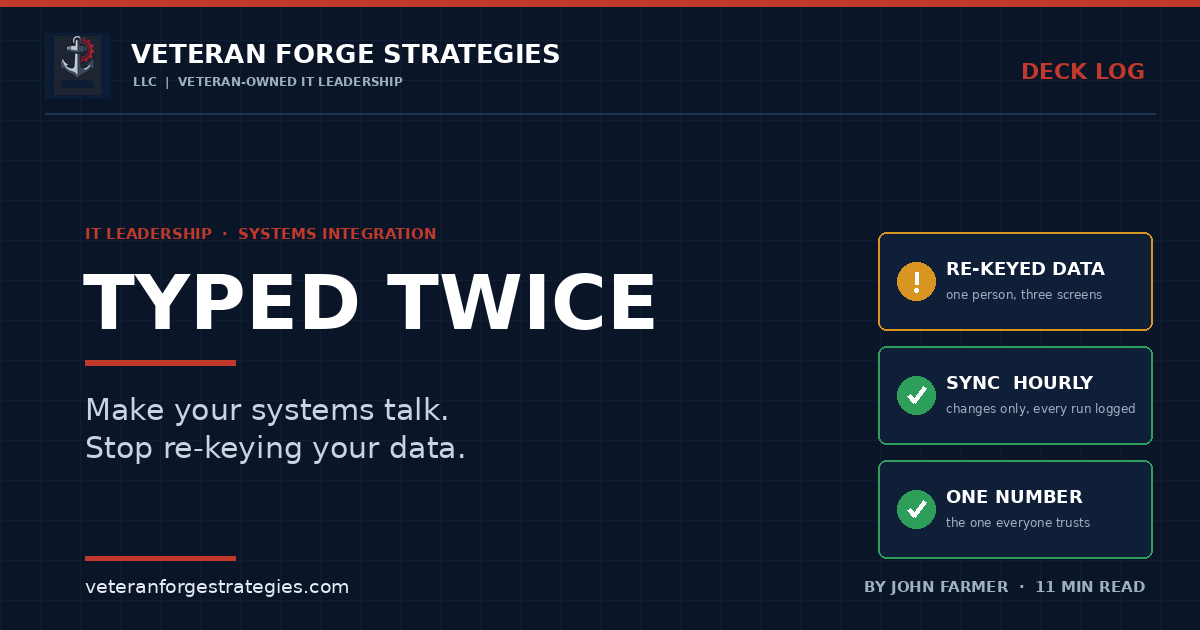
Most businesses don’t have one system. They have a dozen that don’t talk to each other, and one patient person in the middle who makes up the difference with a keyboard.
The Person in the Middle
Walk through almost any small or mid-size company and you’ll find the same arrangement. Accounting lives in one package. Operations runs in another. There’s a CRM that has no idea what billing is doing, a timekeeping tool, a payroll service, a project tracker and a spreadsheet somebody built in 2014 that turned out to be load-bearing.
Each of those systems was a sensible purchase on the day it was made. Nobody bought them as a set. So between them sits a person who reads a number off one screen and types it into another, usually more than once, and hopes the two stay in agreement.
I’ve spent more than 25 years building the bridges that take that job away: pulling accounting data into operational tools, syncing platforms that were never designed to cooperate, and turning double entry into something that happens once. This is what I’ve learned about doing it without quietly wrecking the numbers.
What Typing It Twice Actually Costs
The obvious cost is labor. Someone is paid to copy data, and the hours add up. That cost is real, but it’s the smallest of the four.
Errors with a long fuse. A transposed digit doesn’t announce itself. It sits in the second system until month-end, when the totals don’t match and someone spends an afternoon finding a mistake that took two seconds to make.
Stale data. Re-keying happens when the person gets to it. Until then, the second system is describing last Tuesday. Decisions made from it are decisions made about the past.
Two versions of the same number. This is the one that does lasting damage. When operations says a job has cost one figure and accounting says another, the meeting stops being about the job and starts being about whose number is right. Once people stop trusting the reports, they build their own spreadsheets, and now you have a third version.
A single point of failure with a pulse. The person in the middle knows which fields map to which, which customers are spelled differently in each system and which entries to skip. None of that is written down. When they’re on vacation, the data stops moving.
I’m not going to quote you an industry statistic on error rates. Most of the ones in circulation trace back to vendor marketing with no method behind it. You don’t need one. Count how many times the same record gets typed in your own office and you’ll have a better number than any survey.
First, an Honest Correction
The phrase everyone reaches for here is “single source of truth,” and it’s widely misunderstood. It doesn’t mean one giant system that does everything. Companies that chase that usually end up with an expensive platform that does six jobs poorly.
What it means in practice is narrower and far more achievable: every piece of data has exactly one system that owns it. The customer’s legal name and payment terms belong to accounting. The job’s schedule and status belong to operations. Hours worked belong to timekeeping. Every other system that needs that data receives a copy and doesn’t get to edit it.
Deciding ownership field by field is the real design work, and it’s a business conversation more than a technical one. Once it’s settled, the integration almost draws itself, because every flow has a direction: out from the owner, into everyone else. Most of the corrupted data I’ve had to clean up came from skipping that step and letting two systems both believe they were in charge of the same field.
It also assumes you know what systems you have. You can’t connect what you haven’t found, which is one more argument for a real inventory, and for knowing about the tools people signed up for on their own, the subject of the shadow IT piece.
Connector or Custom Bridge?
My advice to a client is the same advice I follow myself: start with the off-the-shelf connector. If both vendors support a link between their products, or a reputable integration service covers the pair, use it. It’s cheaper, someone else maintains it, and for a standard flow it’s often all you need.
The case for building your own shows up when the connector becomes the thing holding you back. In my experience there are four signs.
- It syncs on its schedule, not yours. Once a night is fine for some data and useless for the rest.
- When it fails, it doesn’t tell you why. A red icon and a generic message aren’t diagnostics.
- It doesn’t fit how your data actually flows. Your process has a step the connector’s designers never imagined, so people work around it by hand, and you’re back to re-keying.
- You depend on a vendor’s future. I once ran a sync tool whose vendor had gone out of business years earlier. It still ran, most days. When it didn’t, there was nobody to call.
That last one is what pushed me to replace a third-party accounting sync with a bridge I built in-house, a project I described in Nobody Lost a Day. A custom bridge is not free. You own the maintenance, and it has to be documented well enough that someone else could run it. But it’s shaped to your data, and it fails in ways you can see and fix.
A Worked Example
Here is the pattern in general terms. An operations system handles estimating, purchasing, receiving and job tracking. A separate accounting package handles the books. Without a bridge, every received purchase order has to be typed into accounting as a bill by hand, and job cost reports get assembled by pulling figures from both.
The bridge does two things. On a schedule, it copies the accounting data that operations needs, such as customers, vendors, bills, payments and journal entries, into a database the operations system can read. That’s how a job cost report can show real accounting figures without anyone exporting anything. In the other direction, when purchasing marks an order as received, the bridge creates the matching bill in the accounting package within minutes. Nobody types it. Accounting owns the books, operations owns the job, and each sees the other’s data without being able to scribble on it.
Described that way, it sounds simple. The moving-data part is. Most of the engineering goes into what happens when something doesn’t fit.
Six Rules That Keep a Bridge From Corrupting Your Numbers
1. Make it safe to run twice. Jobs get interrupted. Servers reboot mid-sync. If running the same sync a second time creates duplicate records, you’ll get duplicates sooner or later. Every write should check whether the record already exists and update it if so. The tool I replaced used to fall over at random on exactly this. It hit a record it had already inserted, threw a duplicate-key error and abandoned the whole run.
2. Fail one record, not the whole run. One vendor with a bad field shouldn’t stop four hundred good records from syncing. Set the failure aside, log it, keep going and report at the end.
3. Log every run, and explain failures in plain language. A sync that runs silently is only trustworthy if you can tell at a glance whether it worked. I keep a run log in the database and an error page written for the person who has to fix the problem, not for a programmer. Better still, surface the error where the work happens. If a received order can’t post because the vendor name doesn’t match, the place to say so is the receiving screen, in front of the person who can correct it. And someone should be told when a run fails. A bridge belongs on the list of things you monitor and alert on, the same as a backup.
4. Match on IDs. Keep names for people. Nearly every sync failure I’ve chased came down to a name: a vendor spelled one way here and another way there, or a job renamed in one system and not the other. Names change. Internal IDs don’t. Link records by the stable identifier and carry the name along for humans to read. Where a legacy report matches on names anyway, treat a rename as a change that needs a procedure.
5. Respect the other system’s rules. The receiving system has opinions, and it’s the one keeping the books. In one build, every bill was rejected until I found that the accounting package would only accept amounts with two decimal places, while the operations database stored five. The accounting package’s interface also handled one request at a time, so the bridge had to queue its work and wait its turn. Sync what changed, do a full refresh on a slower schedule and don’t hammer a system that other people are trying to use.
6. Test with real data, on a copy. Invented test records are tidy. Real data has the customer with an ampersand in the name and the bill from 2011 with a blank date. Both of the bugs that mattered in that build appeared only when real transactions went through a cloned test environment. Even then, one production server behaved differently from the clone and cost an extra day. Plan for that day.
The Capability Is Not the Go-Live
One lesson has less to do with code. I built an invoice-transfer feature that was ready well before it was switched on, and I held it back on purpose until the accounting side had been trained on the new workflow.
An integration changes people’s jobs. The person who used to key the bills is now the person who reviews exceptions. That’s a better job, but it’s a different one. If you turn the feature on before they understand it, they’ll keep doing it the old way alongside the new one, and you’ll have double entry again with extra steps. Set the go-live by the readiness of the people who’ll use it.
Plan the fallback too. A bridge is a dependency like any other. If it stops, or the system on the far end is unavailable, people need to know how to keep working by hand for a day and how the backlog gets entered afterward. I wrote about that kind of planning in the outage resilience article.
The Federal Angle: Your Numbers Have to Tie Out
For government contractors, disconnected systems carry a specific risk, and there’s a myth to clear away first. People ask whether a product is “DCAA-approved.” DCAA’s own guidance for contractors answers that directly: “There is no such thing as a DCAA approved government accounting system.” The same guidance makes the point that an accounting system is more than a software package. Software can be part of an acceptable system or can be set up in a way that fails.
What gets evaluated is whether the whole arrangement produces numbers that agree with each other. Before a contractor’s first cost-type award, such as a cost-reimbursement, time-and-materials or labor-hour contract, the contracting officer can ask for a pre-award accounting system survey on Standard Form 1408. Its checklist asks, among other things, whether costs are accumulated under general ledger control, whether timekeeping identifies each employee’s labor by cost objective, whether a labor distribution system charges direct and indirect labor to the right objectives and whether costs charged to a contract are determined at least monthly through routine posting to the books.
Read those four items again with integration in mind. Each one describes data that starts in one system and has to arrive, intact and on time, in another: timesheets into labor distribution, labor distribution into job cost, job cost into the general ledger, the ledger into the invoice. DCAA’s guidance describes a labor distribution report that can be reconciled to timesheets, the general ledger and payroll, and it lists invoices that don’t reconcile to the job cost and general ledgers among the common problems.
You can meet that standard with manual entry, and plenty of small contractors do. But every hand-keyed transfer is a place where the numbers can drift, and reconciling them every month is the price. An integration that moves the data once, logs what it moved and flags what didn’t fit makes the tie-out routine.
Two cautions. This applies to flexibly priced work. A firm that holds only firm-fixed-price contracts may never see this survey. And a bridge carries data, so it’s part of whatever boundary that data lives in. If one side holds controlled unclassified information, the connection and the destination need the same protection as the source. None of this is accounting or legal advice. Talk to someone who does government contract accounting before you build toward an audit.
Where This Usually Goes Wrong
- Connecting systems before deciding which one owns each piece of data.
- Letting two systems both edit the same field and hoping the last change wins.
- Matching records on names, then renaming a customer.
- A sync that can’t be run twice without creating duplicates.
- One bad record stopping the entire run.
- Errors that land in a log file nobody reads, far from the person who could fix them.
- Testing with clean sample data and meeting the real data in production.
- Switching it on before the people whose jobs it changes have been trained.
- Building it, then leaving it undocumented, so the bridge becomes the new single point of failure.
The best integration is invisible. Done right, the data shows up where it’s needed, current and correct, and nobody thinks about how it got there. Done wrong, it’s worse than the person with the keyboard, because the person at least knew when they’d made a mistake. The gap between those two outcomes is rarely the technology. It comes from deciding who owns the data, planning for the records that don’t fit and making failures loud enough that someone hears them.
Veteran Forge Strategies is an SBA-Certified Service-Disabled Veteran-Owned Small Business providing IT infrastructure, operations, and cybersecurity support to small businesses and federal clients from Northern Virginia. If your team is re-keying data between systems that should be talking to each other, that’s exactly the kind of problem worth mapping out — get in touch. You can also read about how a fractional IT engagement works, or browse the rest of the Deck Log.