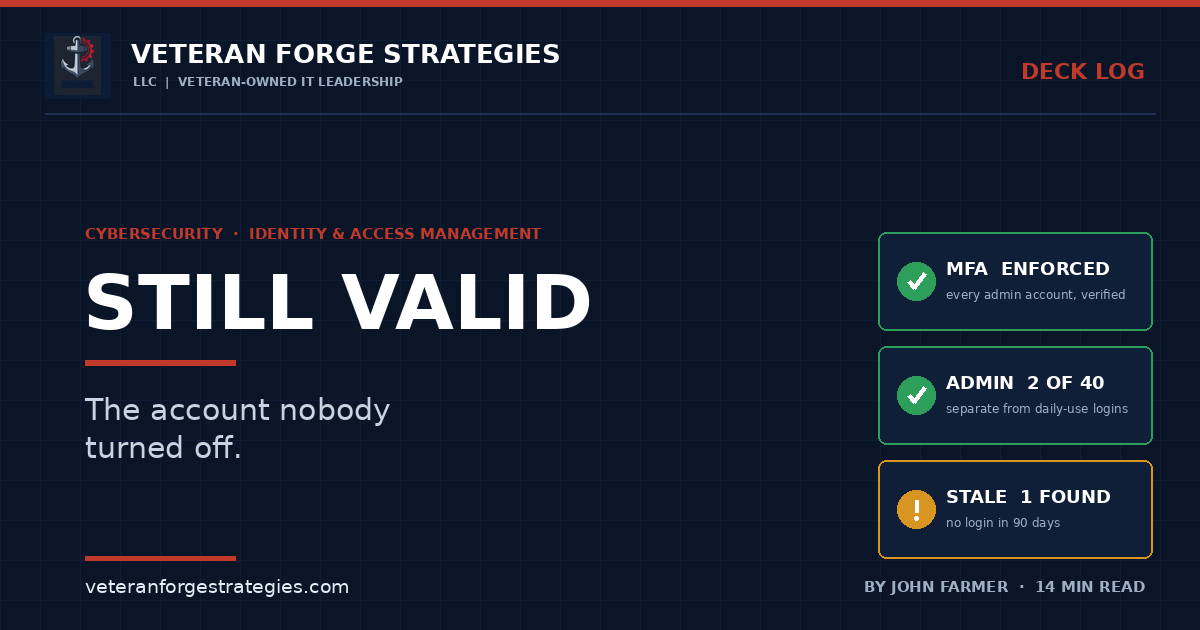
The Account Nobody Turned Off
Every organization I have ever walked into could tell me what their firewall was. Almost none of them could tell me, without going and looking, who had administrative rights.
The list nobody can produce
There is a question I have started asking early, because the answer tells me more in thirty seconds than an hour of architecture review will.
Who has administrative access to your environment right now?
Not “who should.” Who does. The answer I get is almost never a number. It is a pause, then a name or two, then “well, and probably the guy who set up the server,” then a promise to check. Sometimes somebody opens Active Directory Users and Computers on the spot, expands the Domain Admins group, and gets quiet.
That pause is the subject of this article. It is not a sign of a careless organization — it is the normal end state of fifteen years of ordinary, well-intentioned decisions: someone needed access for a project, someone changed roles, someone left and the account was disabled but not deleted, a vendor needed a login and nobody wrote down which one. Nothing here required a mistake. It only required time.
I have spent more than twenty years living in Active Directory. What follows is what actually accumulates, why, and what a small organization can realistically do about it.
First, an honest correction
The version of this argument you usually hear — the one I have made myself on LinkedIn — goes like this: most breaches don’t start with a brilliant attacker, they start with an account that should have been turned off.
That framing is no longer accurate as stated, and I would rather correct it than repeat it.
The 2026 Verizon Data Breach Investigations Report found that vulnerability exploitation has overtaken stolen credentials as the leading initial access vector — roughly 31% of breaches — for the first time in the report’s nineteen-year history. Unpatched, internet-facing software is now the front door more often than a login is. Anyone selling identity as the single answer to breach prevention is selling last decade’s threat model.
So why write about identity at all? Because the same research shows credential abuse appearing somewhere in about 39% of breaches across the full attack chain rather than just the opening move. That is the more useful number. Identity is generally not how an intruder gets in — it is how they move once inside, how they escalate, and how they stay. Exploiting a vulnerability gets an attacker onto one machine. Harvested credentials turn one machine into everything.
The finding I keep coming back to: analysis of the DBIR reports that a large share of ransomware victims had an associated infostealer infection or credential leak in the preceding year, and for half of those, the leak landed within about 95 days of the ransomware event. The credentials go first; the extortion comes later. The gap between them is roughly the window your review cadence hands an attacker to work in.
Patch your edge. Then govern your identities. They are two halves of the same incident, not competing priorities.
The lifecycle is the entire job
Identity and access management sounds like a product category. In practice, for an organization under a few hundred people, it is a lifecycle problem with three moments where things go wrong.
Onboarding: the copy-the-last-guy problem
Almost every small organization provisions new accounts by copying an existing one. It is fast, it works, and it is how permission sprawl gets inherited from generation to generation.
The person you copied had five years of accumulated exceptions. Now the new hire has them on day one, before anyone has decided what the role needs. Do that four times and you have a department whose access is a fossil record of one employee who left in 2021.
The fix is unglamorous: define access by role, not by person. It does not require an RBAC platform. A one-page table per role, filed with your onboarding checklist, gets most of the benefit. The point is that the answer to “what should this person get?” is a document, not a memory of somebody else’s account.
Role changes: where the real creep happens
This is the failure mode nobody budgets for, because it never generates a ticket saying “please take something away.”
Somebody moves from the field to the office and gets the office access. Nobody removes the field access, because removing it might break something and there is no obvious moment when it becomes safe. Two years later they move again. Now they have three roles’ worth of permissions and one job.
Multiply by a decade of internal mobility and you get people whose access footprint has no relationship to what they do — and who are, incidentally, the most valuable accounts to compromise: long-tenured, broadly permissioned, unremarkable in a log.
The control is to treat a role change as a de-provision plus a re-provision, not an addition. Same checklist as a new hire, old role’s access explicitly removed. It feels bureaucratic once and takes fifteen minutes after that. Route it through the same queue as everything else, because the ticket system is where access changes become a record instead of a favor.
Offboarding: the day-one problem
Everyone agrees access should be killed the day someone leaves. Most organizations do this for the domain account and the email, feel finished, and are not.
The domain account is the easy one. What actually survives a departure:
- SaaS outside single sign-on. Every tool a department bought on a credit card is a standing login your directory does not know exists.
- Shared credentials. Disabling one person’s account does nothing; the vendor portal password three people use walked out the door and is still valid.
- Active sessions and cached tokens. Disabling an account does not always invalidate an existing session. Revoking tokens is a separate step, and on mobile it is the one that gets skipped.
- MFA enrollments that persist as valid second factors.
- VPN certificates and remote-access profiles issued outside the directory.
- API keys, service accounts, and scheduled tasks running under a departing admin’s credentials — which is also why nobody wants to disable that account, and why it sits enabled for a year.
- Badges and physical keys, which are identity too, and usually belong to a department that was never told.
That is the case for a written checklist over a good memory — and the checklist has to be built from a real inventory, because you cannot revoke access to a system you forgot you subscribe to. That is the same argument I made about knowing what you have before you try to secure it.
The hard part of day-one offboarding is rarely technical, though. It is that IT often learns about a departure after the fact. If HR’s process does not notify IT before the last day, no tooling fixes it. That is a conversation, not a project.
Least privilege without grinding work to a halt
Least privilege is easy to say and genuinely difficult to implement well, because the failure mode of over-restriction is invisible to security and extremely visible to everyone else.
If people cannot do their jobs, they do not file a ticket and wait. They share a login with a colleague who has the access, move the file to a personal cloud drive, or ask the one person with admin rights to “just do it for them” — quietly making that person a bottleneck and a single point of catastrophic compromise. Over-tightened access does not produce security. It produces shadow processes you cannot see.
What works, in my experience:
- Start with the highest-value targets, not everyone. Domain admin, financial systems, the backup console, the email admin center. Five accounts done right beats a broad rollout abandoned in month two.
- Make the request path fast. If legitimate access takes a day, least privilege gets respected. If it takes a week, it gets routed around and you find out a year later.
- Grant to groups, never to individuals. If your access model lives in group membership, “who has access to this?” is a query. If it lives in per-object permissions applied by whoever was on call that night, it is an archaeology project.
- Time-box exceptions and mean it. Temporary access with no expiry is permanent access with a comforting label.
Admin accounts are not user accounts
If you take one operational change away from this article, take this one.
The person administering your environment should have two accounts: a daily-use account with ordinary permissions, and a separate administrative account used only for administrative work. Email, browsing, and documents happen on the first. Nothing happens on the second except the task at hand.
The reason is simple. Phishing and malware execute in the context of whoever is logged in. If your admin reads email as a domain administrator, one bad click is not a workstation incident — it is a directory incident. Separating the accounts does not prevent the click. It contains the blast radius, which is the only thing that has ever actually worked.
Enforce MFA on those administrative accounts specifically, and verify it rather than assume it. Reported analysis of the 2026 DBIR found a substantial share of organizations running privileged accounts with MFA disabled on cloud infrastructure platforms — usually accounts created early in a deployment, before anyone was thinking about governance, and never revisited. The gap is not policy. It is that nobody went back to check whether the policy was true.
Privileged use should also generate an alert. It is rare and predictable enough that unexpected use is one of the few security signals that is almost never noise — the intersection between this discipline and knowing about problems before your users tell you.
MFA, SSO, and why shared logins are the real liability
Multi-factor authentication is the highest-value control available to a small organization, ahead of nearly anything else you could spend the same money on. Three caveats belong with the recommendation.
MFA is bypassable. Push fatigue, adversary-in-the-middle proxies that relay a live session, and SIM swapping all work. Number matching and phishing-resistant factors raise the bar materially; SMS is the weakest option that still counts. This is a large reduction in risk, not an exemption.
Coverage is where it actually fails — not the applications you enrolled, the ones you did not. Legacy authentication endpoints, service accounts, and protocol paths that predate your policy are how MFA gets skipped without anyone disabling it. I wrote about a version of this in Microsoft 365, where a legitimate feature accepts mail into your tenant without ever presenting credentials. The authentication path you did not think about is the one that matters.
Shared logins defeat all of it. A credential used by four people cannot be attributed, cannot be meaningfully MFA-protected, does not get revoked when one of the four leaves, and turns every audit log entry into a shrug. Nearly everyone has some — usually a vendor portal or line-of-business software with per-seat pricing. Write them down first. The list is usually shorter and more fixable than people fear.
Single sign-on earns its cost less through convenience than through what it makes possible on the back end: one place to disable a person, one place to enforce MFA, one place to answer the access question.
The access review nobody runs
Every framework asks for periodic access reviews. Nearly every organization I have seen either does not run them, or runs them as a formality where a manager approves a list they did not read.
Producing user access listings for auditors in a SOX environment is where I learned that a review is only as good as the question you ask. Hand a manager a spreadsheet of 200 usernames and ask “is this right?” and you get a rubber stamp every time — because the honest answer is “I have no idea what half of those permissions do.”
What produces real answers:
- Review by system, not by person, starting with what would hurt most: finance, backups, the directory itself, anything holding customer or contract data.
- Ask a specific question. Not “is this correct?” but “here are the six people who can approve payments — should each of them still be able to?” Managers answer that one accurately.
- Pick a cadence you will keep. Quarterly for privileged access and critical systems, annually for the rest. Quarterly-for-everything gets abandoned in year one and then cited in an audit as evidence against you.
- Hunt the accounts that never log in. Dormant enabled accounts are the highest-yield thing in a directory and the easiest to find — one query, and the closest thing to a free win in this discipline.
The federal and contractor angle
For anyone working on federal contracts, this stops being a best practice and becomes a contractual obligation.
NIST SP 800-171 — the safeguarding standard for Controlled Unclassified Information in nonfederal systems — devotes whole requirement families to the ground covered above: Access Control, Identification and Authentication, and Audit and Accountability. Least privilege, separation of duties, limiting privileged functions to authorized users, multifactor authentication, and audit records sufficient to trace actions to individual users are all in scope. CMMC assessments are built on that standard.
Three practical notes:
- Check which revision your contract invokes. Rev 2 and Rev 3 organize and number these requirements differently, and assessments currently run against the revision named in your clause — not the newest publication. Read the clause before you build to it.
- Shared accounts are a direct finding. Requirements that actions be traceable to individual users cannot be satisfied by a login four people use. This is usually the fastest-to-identify and cheapest-to-fix gap in a small contractor’s environment.
- Your evidence is the review, not the configuration. An assessor asks how you know your access is correct, and the answer needs to be a dated artifact showing someone competent looked and signed. Having good access is a state. Being able to demonstrate you verify it is the requirement.
If you are earlier in the process, I have written separately about the path from registration to a first subcontract — access control shows up much earlier in that journey than most new contractors expect.
Where this usually goes wrong
- Disabling the account and calling it done. SaaS outside SSO, shared credentials, tokens, and MFA enrollments survive the domain account by months.
- Copying an existing user to create a new one. You inherit someone else’s accumulated exceptions and call it a baseline.
- Adding on role change, never subtracting. Permission creep is not a security failure; it is the absence of a removal step.
- Admins reading email as admins. One click becomes a directory compromise instead of a workstation reimage.
- Shared logins for “just this one system.” They are never just one system, and they void attribution everywhere they touch.
- Access reviews as a signature exercise. A rubber-stamped review is worse than no review, because it produces documentation asserting something false.
- Assuming MFA is on because policy says so. Verify enrollment and coverage per account. Policy is intent; enrollment is fact.
Start with the list
None of this requires a platform purchase, and I would be cautious about anyone who tells you it does. It requires being able to answer one question.
Open your directory. Pull the members of every privileged group. Pull every account that has not logged in in ninety days. Put both lists in front of someone who knows the organization and go name by name.
You will find people who left. You will find service accounts nobody can explain. You will find a vendor login from a project that ended three years ago. Every organization does, including well-run ones, because that is what time does to an access model with no removal step in it.
The organization that can answer “who has access to what?” in minutes is not just more compliant than the one that cannot. It is harder to breach, faster to contain, and dramatically cheaper to audit. And unlike almost everything else in security, the first pass costs you an afternoon.
Veteran Forge Strategies is an SBA-Certified Service-Disabled Veteran-Owned Small Business providing IT infrastructure, operations, and cybersecurity support to small businesses and federal clients from Northern Virginia. If you cannot currently produce a list of everyone with administrative access, that is the engagement — get in touch. You can also read about how a fractional IT engagement works, or browse the rest of the Deck Log.